Say “Hey Spark, rise and shine” and hear your day. A Jarvis-style assistant for your laptop: the wake word, speech recognition and voice run on your computer, and the brain is yours to choose — Claude, Hermes Agent, or a free local model.
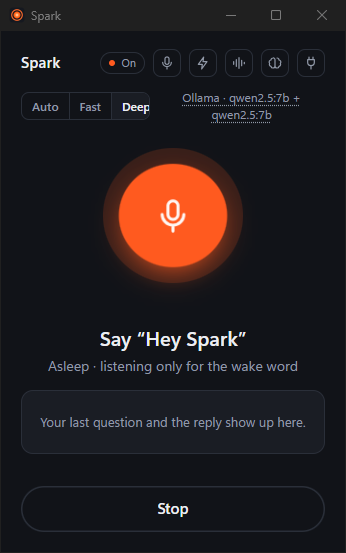
Wake it, ask it, hear the answer
A compact window that sits out of the way while Spark listens, plus simple settings windows for the brain, the voice and your shortcuts. No config files needed.
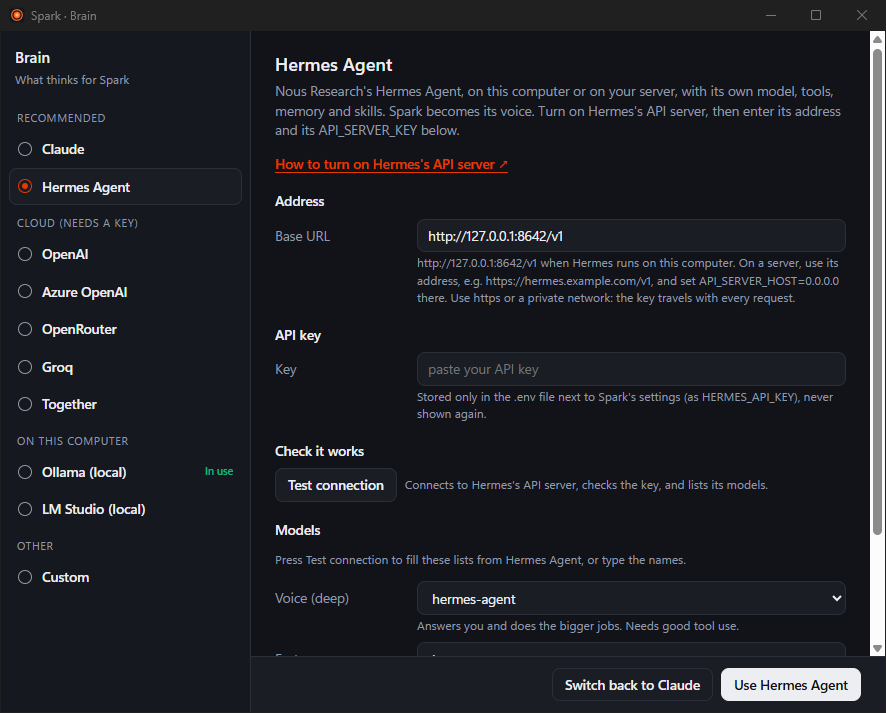
Pick the brain: Claude, Hermes Agent, Ollama and more. Test the connection, then save.
Ask a question, give a command, or use one of the film-style shortcuts. Spark answers out loud, sentence by sentence, while it is still thinking.
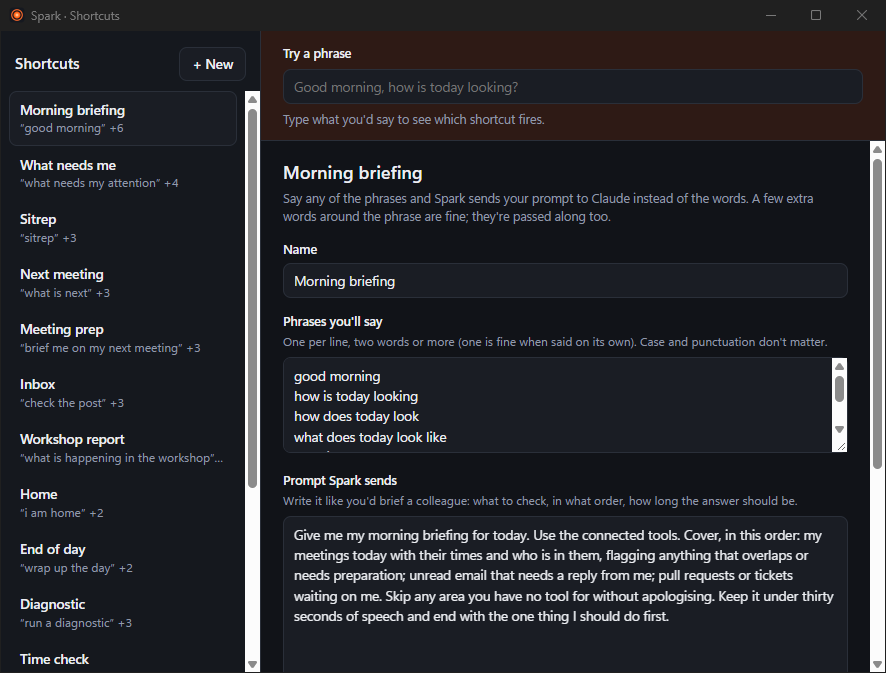
Your morning briefing: today's meetings, what needs you in the inbox, and the pull requests waiting on you.
A quick status of everything you're connected to. Or “what's next?”, “prep me”, “check the post” and “run a diagnostic”.
Timers, the time, and quick questions answered by a fast model, so short asks stay short.
A folder, a git repo, a private GitHub repo and a tracking issue — after you say yes.
Reads GitHub, Gmail, Calendar and your own systems through MCP connectors.
Back to sleep. Plus “belay that”, “clean slate protocol”, “full power” and “go dark”.
Pick the brain in the Brain window, test the connection, and save. Switch any time — the voice stays the same.
localhost:18741/v1)Pair Hey Spark directly with Vesper's local /v1 server for offline GGUF inference, Hybrid Local Docs RAG, and Airplane Lock
The best tool use. Uses the Claude account Claude Code is signed in with, or an Anthropic API key
Give your Hermes Agent by Nous Research a voice — on this computer or on your own server
Free and fully local. Pick or download a model right in the app
Use the account you already have
Hundreds of models, some with very fast free tiers
vLLM, a company gateway, anything that speaks the OpenAI API
Reading is free. Anything that sends, creates or updates needs a spoken “yes”. Silence or an unclear answer means no, and destructive tools are blocked by default.
“Create an issue for the login bug.”
“I'll open an issue called Login bug on hey-spark. Shall I proceed, sir?”
Say “yes” and it's done. Anything else, and nothing happens.
No cloud microphone. Spark listens for its wake word, understands you and speaks back on your own CPU — no GPU needed. Only the text of your question goes to the brain you pick, and with Ollama nothing leaves your machine at all.
A bundled “Hey Spark” model, always listening on-device. Train your own wake phrase for free in Google Colab.
faster-whisper with Silero voice-activity detection: it knows when you've finished talking.
Kokoro and Piper voices, starting with George, a British voice. Turn on barge-in to cut it off mid-sentence with the wake word.
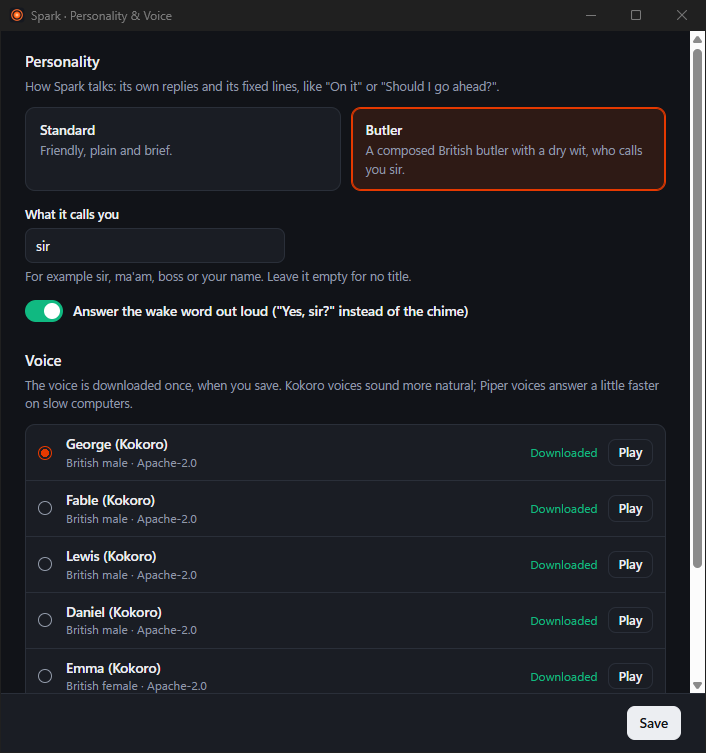
Switch on the butler personality and Spark becomes a composed British butler with a dry wit. It answers the wake word out loud, calls you sir, and words its own lines to match. Prefer plain and brief? The standard personality is one click away.
Standard (friendly and brief) or Butler (dry British wit)
Hear a sample of each before you choose
Turn any phrase into a full request, edited in the Shortcuts window
Want to add a wake-word training pipeline, a new local TTS voice, or an MCP confirmation recipe? Pick up a labeled starter issue on GitHub.
Free and open source for macOS (Apple Silicon) and Windows. Speech models download once on first start. The Mac app isn't signed yet: right-click it and choose Open the first time.
Hey Spark is an independent open-source project. It works with Claude and Hermes Agent and is not affiliated with Anthropic or Nous Research. The bundled wake-word model is licensed CC BY-NC-SA 4.0.